A 150-Year-Old Jam Fix Is Why Your Password Needs a Capital Letter and a Symbol
You've been told your password is too weak. Not enough characters. No uppercase. Missing a number. Add a symbol. It feels arbitrary, like someone invented these rules just to annoy you. In a roundabout way, someone did — and it all traces back to a typewriter repairman in Milwaukee who was trying to stop metal arms from crashing into each other.
The Original Problem Had Nothing to Do With Typing
In 1873, Christopher Latham Sholes and his collaborators were wrestling with a genuinely frustrating mechanical problem. Early typewriters had typebars — small metal arms tipped with letter stamps — that swung up to hit a ribbon and leave an impression on paper. The trouble was that if you typed two neighboring letters in quick succession, their typebars would collide mid-swing and jam the whole machine.
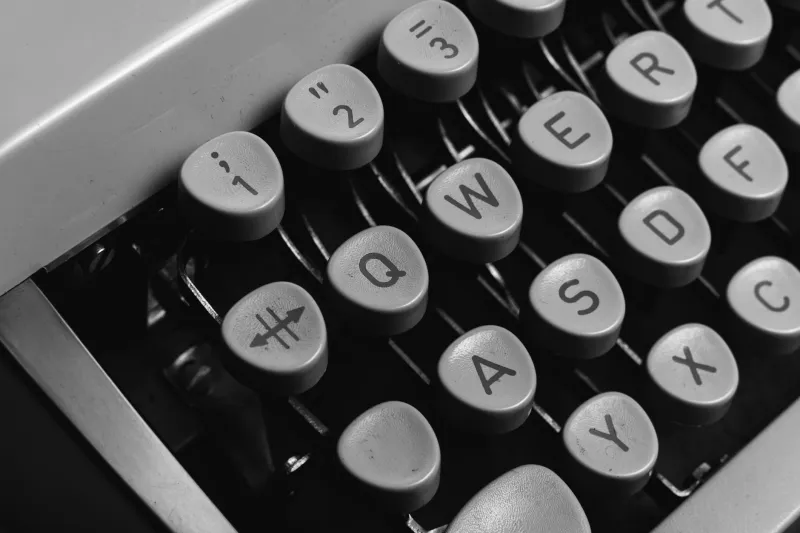
Sholes' fix was elegant in its simplicity: separate the most commonly paired letters in the English language so their typebars were physically far apart on the machine. The result was the QWERTY layout — a deliberate scrambling of the alphabet designed not for speed, not for comfort, and certainly not for security. Just for mechanical clearance.
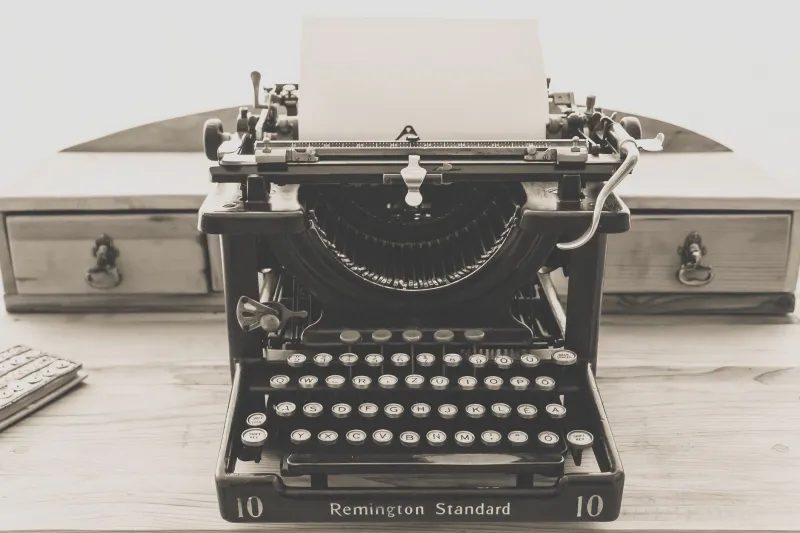
Remington & Sons manufactured the first commercial typewriter using this layout in 1874. Within a decade, QWERTY was everywhere. And because an entire generation of typists learned on it, the layout became self-perpetuating. Switching would mean retraining millions of people. So nobody switched.
From Typewriters to Terminals
Fast forward about a century. When personal computers arrived in American homes and offices during the late 1970s and early 1980s, designers faced a choice: invent a new input system, or use the keyboard layout that millions of Americans already knew. They chose familiarity. QWERTY moved from the typewriter to the terminal without a single modification.
This decision felt practical at the time. It was also, in hindsight, a security timebomb.
As soon as computers started requiring passwords, people began choosing them the same way they chose anything else — based on what was easy. And what was easy was directly shaped by the keyboard sitting in front of them. Common passwords clustered around keys that were physically convenient: rows that were simple to sweep across, letters that sat under the dominant hand, sequences that formed satisfying diagonal or horizontal patterns on the QWERTY grid.
"123456" is a straight horizontal line on the number row. "qwerty" is literally the first six keys on the top letter row. "qwertyuiop" sweeps the entire top row. "asdfghjkl" does the same across the home row. These aren't just lazy choices — they're lazy choices that were made possible by the specific arrangement of a 19th-century jam-prevention system.
The Hackers Who Studied Your Keyboard
By the 1990s, security researchers had started cataloguing the most common passwords appearing in data breaches. What they found was striking: a disproportionate number of compromised passwords weren't random words or meaningful phrases. They were keyboard walks — sequences that followed a physical path across the QWERTY layout.
Hackers noticed the same pattern. Specialized cracking tools began incorporating "keyboard walk" dictionaries — preloaded lists of every plausible path a finger could trace across a QWERTY keyboard. When attackers ran these lists against stolen password databases, the hit rates were uncomfortable. A huge slice of the population had effectively handed over their credentials by doing something that felt natural: moving their fingers in a straight line.
The vulnerability wasn't a software flaw. It wasn't a network weakness. It was a behavioral pattern baked in by a keyboard layout that nobody had thought to question.
The Rules That Grew Up Around the Problem
This is where modern password complexity requirements come from. The now-familiar checklist — at least eight characters, one uppercase, one number, one special symbol — wasn't dreamed up by a security philosopher. It evolved as a direct countermeasure to the predictable patterns that QWERTY made so tempting.
The logic was simple: if people default to keyboard walks and common letter rows, force them to break the pattern. A mandatory uppercase letter disrupts the flow. A required symbol forces the finger off the letter keys entirely. A minimum length makes short row-sweeps insufficient. None of these rules are elegant. They're patches applied to a human behavior that was itself shaped by a Victorian-era mechanical constraint.
The National Institute of Standards and Technology (NIST) published its first formal password guidelines in 2004, and the fingerprints of the QWERTY problem were all over them. Subsequent revisions — including a significant 2017 update that actually walked back some complexity requirements in favor of length — represented the security community grappling with the downstream consequences of that original keyboard design.
We Built a Digital World on a Mechanical Workaround
What makes this story genuinely strange is the chain of accidents involved. Sholes wasn't thinking about security. He was thinking about typebar collisions. The manufacturers who copied QWERTY for computers weren't thinking about passwords. They were thinking about retraining costs. The first computer users who chose keyboard-walk passwords weren't thinking about hackers. They were thinking about what was easy to type.
And yet every link in that chain contributed to a security landscape that still shapes your daily digital life. Every time a website rejects your password for lacking a symbol, every time a corporate IT policy forces you to change credentials every 90 days, every time two-factor authentication pings your phone — those systems exist, at least in part, because the most common keyboard in the world was designed to solve a completely different problem.
The QWERTY layout was never going to be replaced. That ship sailed sometime around 1890. But the security industry has spent the last four decades building scaffolding around a foundation that was never designed to support what we put on top of it.
Next time a website tells you your password isn't strong enough, you can blame a typewriter repairman in Wisconsin who just wanted the arms to stop jamming.